
VCompressor: compress videos and photos
VCompressor compresses supported videos and photos in Apple Photos on your iPhone and iPad. Compare the result before saving, keep separate copies and decide when to delete the originals. Your media is processed on your device.
Coming soon. VCompressor 1.0 is awaiting App Store review. It is not yet available to download.
Choose how much to compress
- Presets and custom settings. Start with Saver, Balanced or Quality. Adjust video size, resolution, frame rate and audio, or choose photo quality and maximum dimensions.
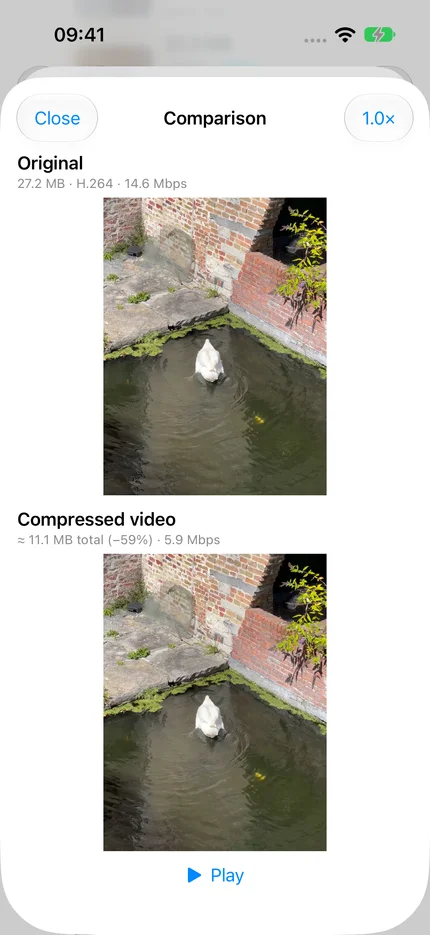
- Compare before and after. Preview the original and compressed result together, with zoom to inspect detail.
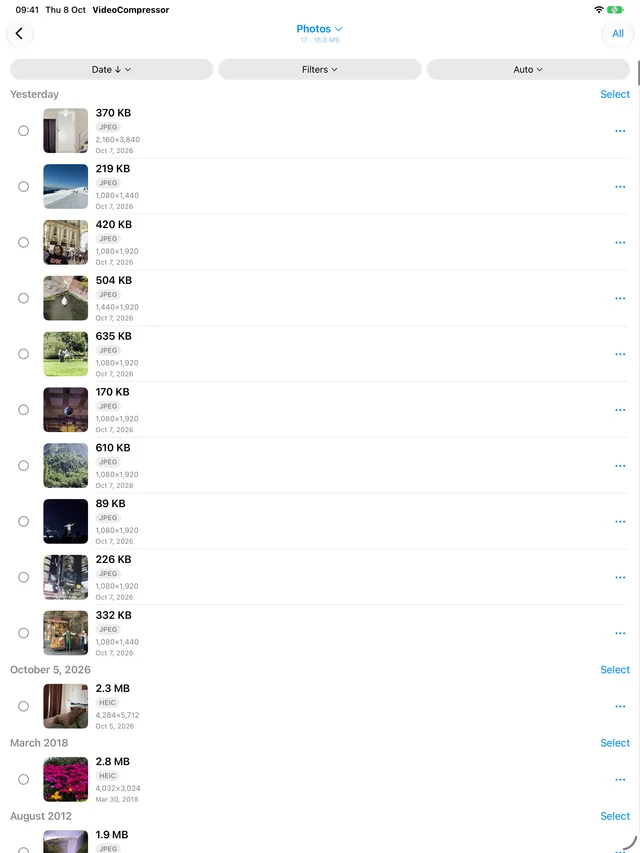
- Compress a batch. Select several files and save each successful copy to Photos. Originals stay unchanged.
- History and recovery. Review saved results and resume unfinished work after restarting the app. Compression pauses in the background; return to continue.
- Live Photo to still photo. Create a separate still image. The copy does not include motion or sound.
See the app
Frequently asked questions
Why is a file skipped or barely smaller?
Some originals are already efficiently encoded. High quality and unchanged dimensions can leave little room for savings. VCompressor skips copies that do not meet the configured minimum saving. Try Saver or smaller dimensions, then compare the result. A smaller file is not guaranteed.
Does VCompressor support every HEIC or HDR file?
No. Support depends on the file’s encoding and metadata. Supported HDR photos with a gain map are saved with that map; formats that cannot be preserved are skipped. HDR photo conversion to JPEG, RAW and unsupported HDR representations are not offered. HEIC does not always become smaller. Spatial video is not supported.
What happens to Live Photos?
The saved copy is a still photo without the moving portion or sound. The original remains until you explicitly confirm deletion. Keep it if you want to retain the Live Photo.
Can I use media stored in iCloud?
Yes, if Photos can download the original. Downloading needs network access and enough device storage. Compression is local. Check Photos permissions and iCloud connectivity when an original is unavailable.
When is storage actually freed?
Saving a smaller copy does not remove the original. Check the copy first, then confirm deletion if you want to remove the original. Photos keeps deleted items in Recently Deleted until they are permanently removed.
Support and optional diagnostics
Email support@kudravets.com with your app version, device type, OS version and steps to reproduce the problem.
Settings → About lets you copy or share a report. By default, it contains an aggregate summary: app version, platform and OS, compression history count, size reduction of saved copies and available storage. Detailed diagnostics are optional and must be enabled explicitly; they can include operation timings, error categories and shortened media identifiers. Review the report before sharing. Reports are never sent automatically.
If you send a report by email, support receives its contents and can associate it with your sender address. It is used to troubleshoot your request. You do not need to send personal photos or videos to ask for help.